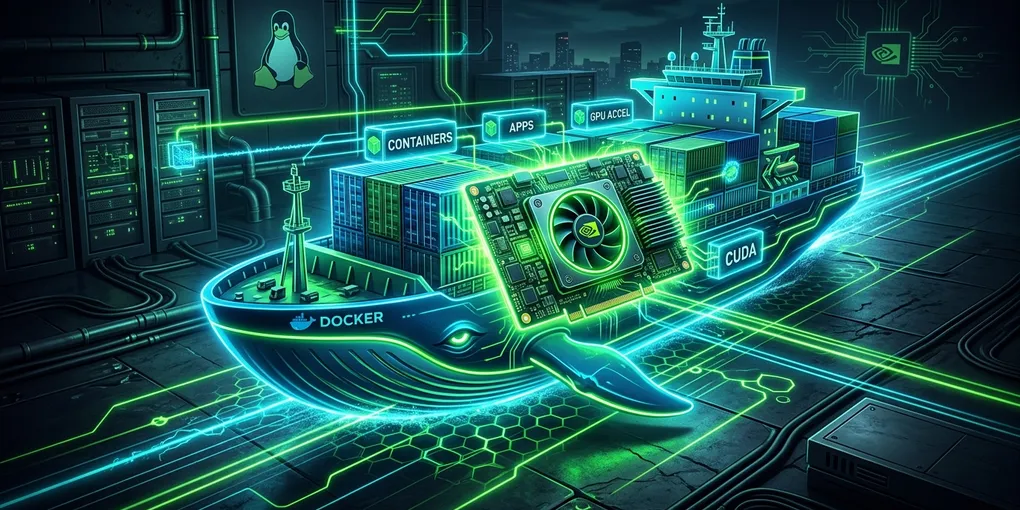
How to Fix NVIDIA Docker GPU Passthrough for Local LLMs on Linux
Quick Fix (TL;DR)
If running docker run --gpus all fails with:
docker: Error response from daemon: could not select device driver "" with capabilities: [[gpu]]
Run this 3-step command block on Ubuntu/Debian to install and configure the official NVIDIA Container Toolkit:
# 1. Add NVIDIA Container Toolkit repository
curl -fsSL https://nvidia.github.io/libnvidia-container/gpgkey | sudo gpg --dearmor -o /usr/share/keyrings/nvidia-container-toolkit-keyring.gpg \
  && curl -s -L https://nvidia.github.io/libnvidia-container/stable/deb/nvidia-container-toolkit.list | \
    sed 's#deb https://#deb [signed-by=/usr/share/keyrings/nvidia-container-toolkit-keyring.gpg] https://#g' | \
    sudo tee /etc/apt/sources.list.d/nvidia-container-toolkit.list

# 2. Install toolkit packages
sudo apt-get update && sudo apt-get install -y nvidia-container-toolkit

# 3. Configure Docker runtime and restart daemon
sudo nvidia-ctk runtime configure --runtime=docker
sudo systemctl restart docker
Verify GPU visibility inside a minimal CUDA container:
docker run --rm --gpus all nvidia/cuda:12.4.1-base-ubuntu22.04 nvidia-smi1. Root Cause Analysis
Docker containers cannot access host PCIe hardware by default. Unlike CPUs which are scheduled directly by the Linux kernel cgroups, NVIDIA GPUs require:
- Host NVIDIA Driver: Installed on the bare-metal Linux OS (
nvidia-smimust work on the host). - NVIDIA Container Runtime Hook (
libnvidia-container): Injects GPU device nodes (/dev/nvidia0,/dev/nvidiactl) and driver libraries into container namespaces at container creation. - Docker Daemon Configuration:
/etc/docker/daemon.jsonmust designatenvidiaas an available container runtime.
When the error occurs, Docker’s default runc runtime does not recognize the --gpus flag because the NVIDIA OCI hook is unregistered.
2. Running Local LLMs (Ollama & vLLM) in Docker
Once configured, launch local LLM containers with dedicated VRAM allocation:
Ollama with Full GPU Passthrough
docker run -d \
  --name ollama \
  --gpus all \
  -v ollama_models:/root/.ollama \
  -p 11434:11434 \
  --restart unless-stopped \
  ollama/ollama
Verify that Ollama detects your GPU:
docker exec -it ollama ollama run deepseek-r1:8bvLLM Production Container
For high-throughput batched inference:
docker run --gpus all \
  -v ~/.cache/huggingface:/root/.cache/huggingface \
  --ipc=host \
  -p 8000:8000 \
  vllm/vllm-openai:latest \
  --model Qwen/Qwen2.5-Coder-7B-Instruct
(Note: --ipc=host is mandatory for vLLM to prevent PyTorch shared memory crashes).
3. Docker Compose GPU Configuration (v2 Format)
Do not use deprecated version: '3.8' syntax with runtime: nvidia. Modern Docker Compose uses the native deploy.resources.reservations.devices specification:
services:
  ollama:
    image: ollama/ollama:latest
    container_name: ollama-gpu
    ports:
      - "11434:11434"
    volumes:
      - ollama_data:/root/.ollama
    deploy:
      resources:
        reservations:
          devices:
            - driver: nvidia
              count: all
              capabilities: [gpu]

volumes:
  ollama_data:
4. Troubleshooting Common GPU Container Traps
Error: “Unknown flag: –gpus”
- Cause: Docker Engine version is $< 19.03$.
- Fix: Upgrade to modern Docker CE:
sudo apt install docker-ce docker-ce-cli containerd.io.
Error: “Failed to initialize NVML: Driver/library version mismatch”
- Cause: The host NVIDIA kernel module was updated in the background without rebooting.
- Fix: Run
sudo rmmod nvidia_uvm && sudo modprobe nvidia_uvmor execute a clean host reboot (sudo reboot).
Error: “CUDA Out of Memory inside container while host shows free VRAM”
- Cause: Another container or host desktop environment holds an active CUDA context.
- Fix: Run
fuser -v /dev/nvidia*to find the process PID holding GPU memory and terminate it before launching model weights.
Summary Reference
- Package:
nvidia-container-toolkit - Config Command:
sudo nvidia-ctk runtime configure --runtime=docker - Verification:
docker run --rm --gpus all nvidia/cuda:12.4.1-base-ubuntu22.04 nvidia-smi - Compose Requirement:
deploy.resources.reservations.devices